Desktop
A native shell for an installed engine: it finds the engine on your machine, starts it, watches it stay healthy, and gets out of the way. It ships no Python of its own — the engine has to already be installed.
What it is
A window onto an engine you already run — not a service in itself.
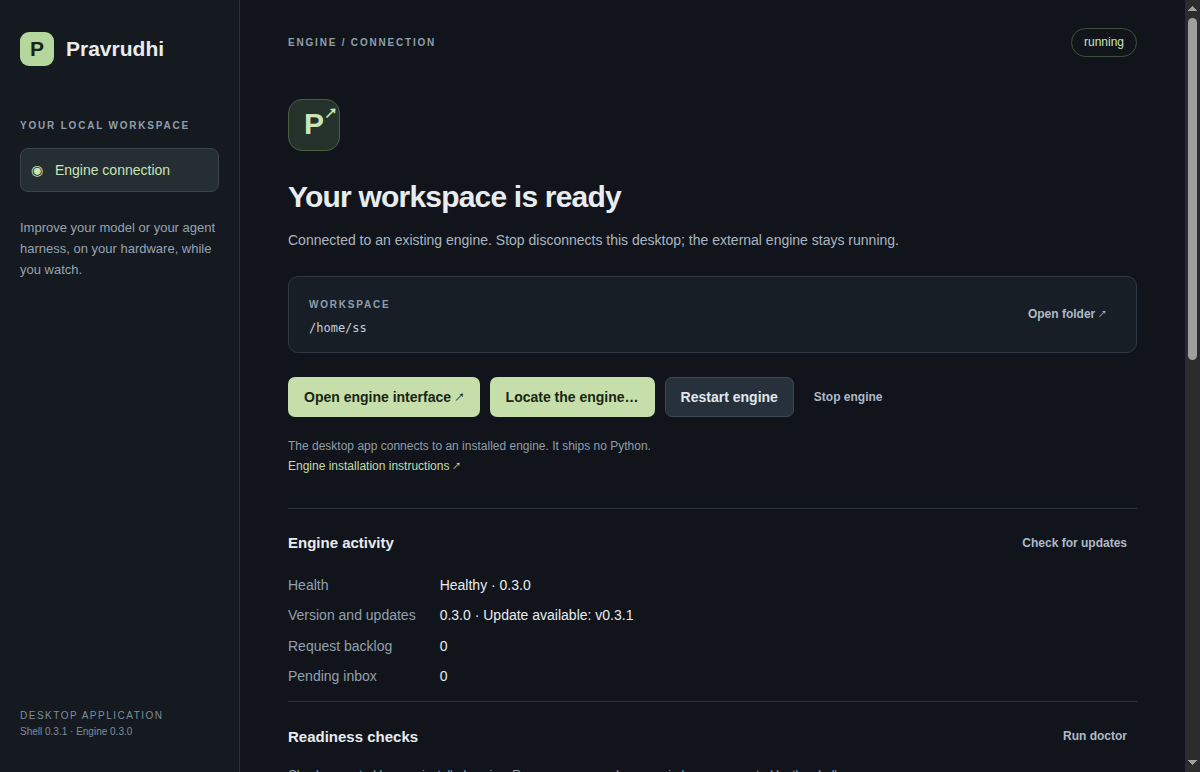
Pravrudhi Desktop is an Electron application that drives an installed Pravrudhi engine: it discovers the engine binary, starts it against your workspace, and keeps a native window, menu, and tray around it. It does not initialise or modify your workspace itself, and it ships no Python runtime — only the shell.
What it does for you
Drawn from the shell's own launch sequence, not a feature list.
- Finds your installed engine, or lets you point at one
It checks PRAVRUDHI_BIN, then pravrudhi on your PATH, then a release install under ~/pravrudhi-release, then ~/.local/bin/pravrudhi, then whatever you last chose with Engine → Locate engine…. If a loopback engine is already answering — one you or the shell remembered — it attaches to that instead of starting a second one.
- Starts it and waits for it to actually answer
A free loopback port is chosen and the engine is launched against your workspace. The connection screen stays up until /api/health succeeds, with a 30 second deadline, rather than loading a page that isn't ready yet.
- Shows what's wrong instead of a blank window
On failure it runs the engine's own doctor checks and lists each one by its own name and detail, with a copyable recovery or diagnostic command per failure — never a single generic “unhealthy”.
- Keeps the engine's lifecycle under a menu and tray
Engine → Restart, Stop and Choose workspace…, plus a tray icon that reflects engine status and can focus the window or restart the engine from outside the browser tab it would otherwise live in.
- Opens external links in your browser, not inside the app
Documentation, releases, and any other external link the interface produces opens in your system browser. Only pages served by the connected engine itself load inside the window.
- Terminates the engine it started when it closes
Closing every window ends the engine process group the shell launched. An engine it only attached to — one already running before the shell opened — is left running; Stop just disconnects from it.
How to install it
A packaged asset per platform, from the current release.
Download the asset for your platform from the releases page — match the asset to whichever release you download.
Linux — AppImage
Pravrudhi-<version>.AppImage
Make the AppImage executable and run it directly — no installer, no package to unpack by hand.
An AppImage mounts itself through FUSE, and many current distributions no longer ship the version 2 library it needs. That failure reads like a broken download; it isn't. Either install libfuse2 (libfuse2t64 on newer releases), or tell the AppImage to unpack itself instead with the environment variable below.
chmod +x Pravrudhi-*.AppImage
./Pravrudhi-*.AppImagesudo apt install libfuse2APPIMAGE_EXTRACT_AND_RUN=1 ./Pravrudhi-*.AppImagemacOS — disk image (unsigned)
Pravrudhi-<version>.dmg
There is no Apple Developer identity behind it. Gatekeeper refuses a plain double-click and reports the app as damaged or from an unidentified developer — that is expected, not a bad download.
Right-click (or Control-click) Pravrudhi.app in Finder and choose Open, then confirm Open in the dialog. This is required once. Alternatively, clear the quarantine attribute from a terminal — only for a DMG you built yourself or otherwise trust.
xattr -dr com.apple.quarantine /Applications/Pravrudhi.appHow it stays current
The same safeguarded path the System page describes — the shell adds nothing of its own.
The shell asks the engine it started whether a newer release exists (GET /api/update), and, if you choose to apply one, hands the engine the same safeguarded command the System page describes (pravrudhi update --apply --channel release --json). The engine owns every safeguard around that — checksum, atomic switch, kept rollback — the shell only shows the engine's own reported reason once it finishes.
Loading…
See every machine this engine keeps current, and what stands between a new release and being switched to, on the System page.